

AI Run Comparison
AI Run Comparison analyzes the runs you select and produces a structured report covering what changed, what regressed, and where to look next with a verdict on overall consistency, confidence level, key findings, and concrete recommendations to act on before your next run.
Overview
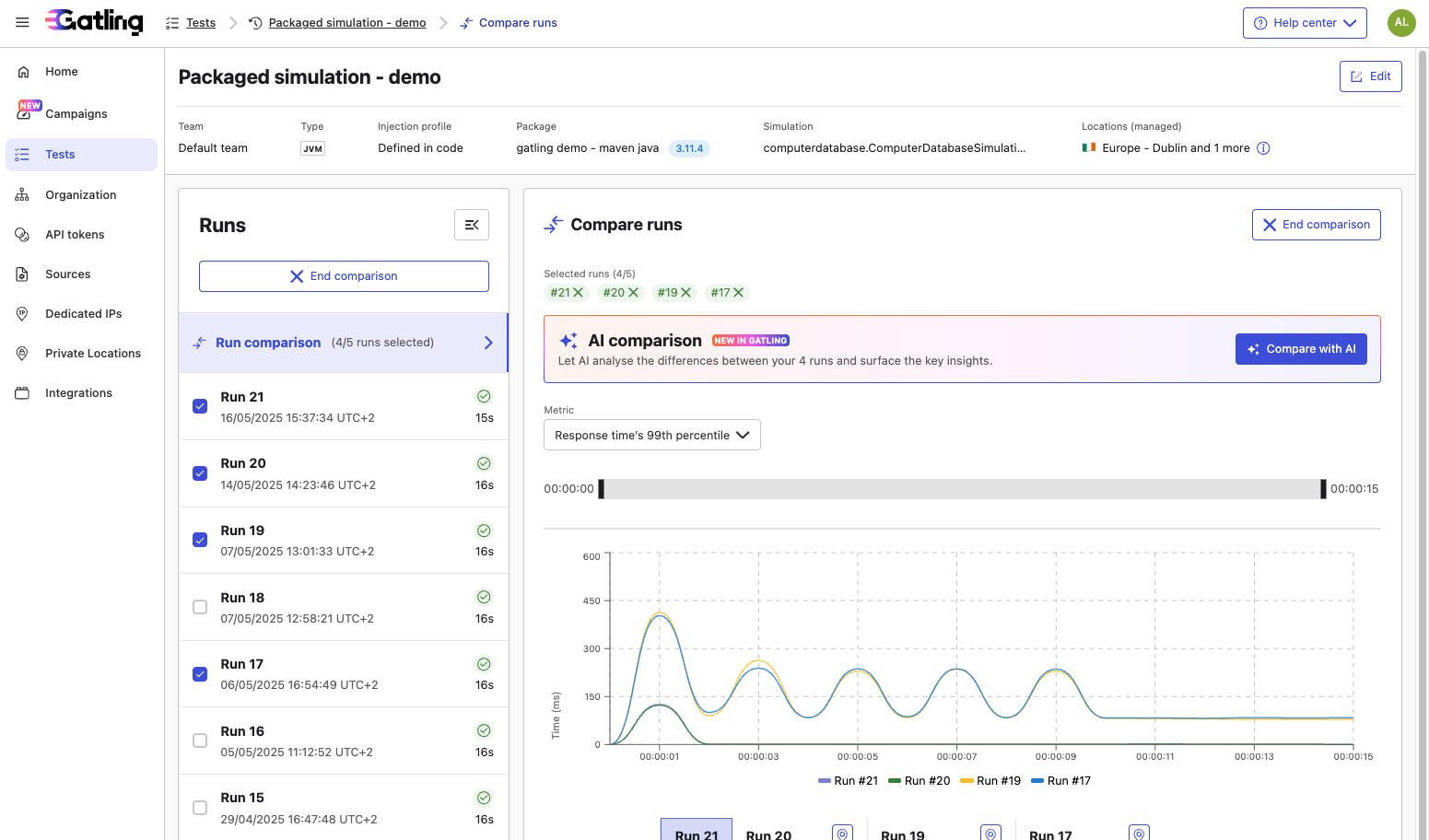
The Run Comparison page lets you overlay metrics across 2 to 5 runs of the same test. This is a powerful way to track changes and catch regressions over time.
AI Run Comparison takes it further. Alongside the chart, it generates a structured breakdown of what changed, what regressed, and where to investigate, so you spend less time cross-referencing metrics and more time acting on results.
How to use it
- From a run detail page, click Compare runs to open the Run Comparison view.
- Select 2 to 5 runs to compare. The Compare with AI button becomes active once at least 2 runs are selected.
- Click Compare with AI.
- The report appears above the comparison chart. The chart stays available for further exploration.
What you get
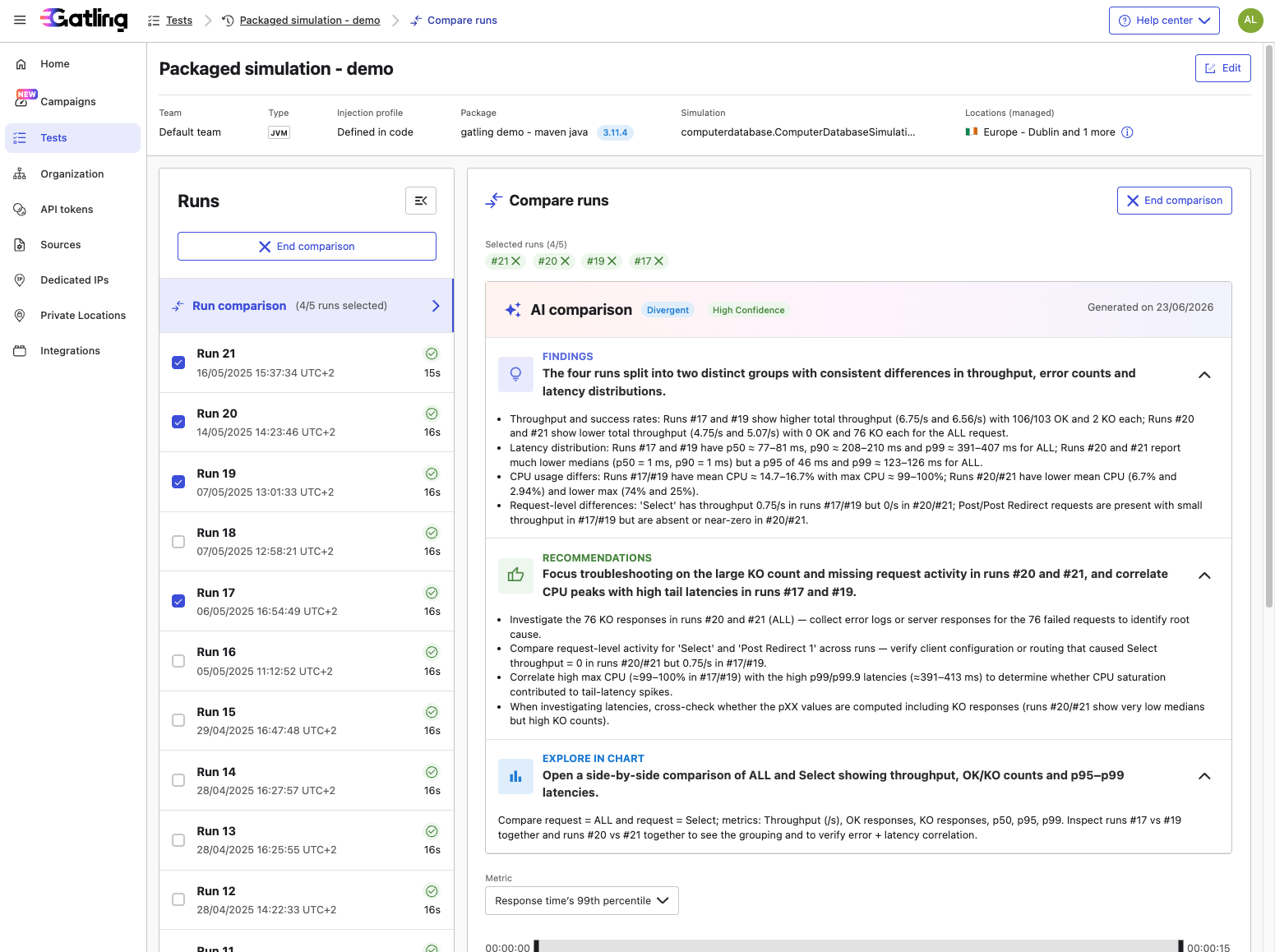
The report is structured around three blocks:
Findings opens with a one-sentence summary of the most significant pattern across the selected runs, followed by a breakdown of the key differences: throughput, error counts, latency percentiles, CPU usage, and request-level details where relevant. No interpretation, just what the data shows.
Recommendations opens with a one-sentence focus for your investigation, followed by 2 to 4 concrete actions to take before the next run.
Explore in the chart opens with a one-sentence summary of what to look at, followed by a precise starting point, which metrics to select and which run pairs to compare in the chart below.
The report also includes a verdict and a confidence level tags. The verdict summarizes the overall relationship between the runs in a single word (Similar, SomeDiscrepancies, or Divergent). The confidence level (Low, Medium, or High) reflects how much signal was available. A low confidence may indicate that a run was stopped early or that data was insufficient to draw firm conclusions.
Notes
- Select the same set of runs again to retrieve a previously generated report.
- AI Run Comparison is only available when the AI feature is enabled for your organization.
- If report generation fails, it cannot be retried from the UI in the current version. Please contact the support.