

Teams
View the teams in your Gatling Enterprise Edition organization.
To access the Teams page, click on the “Teams” tab in the Organization page.
Displayed data are limited to the teams you belong to.
Creating, editing, or deleting teams requires administrator access. See Teams administration for details.
This page shows the teams you belong to and their details.
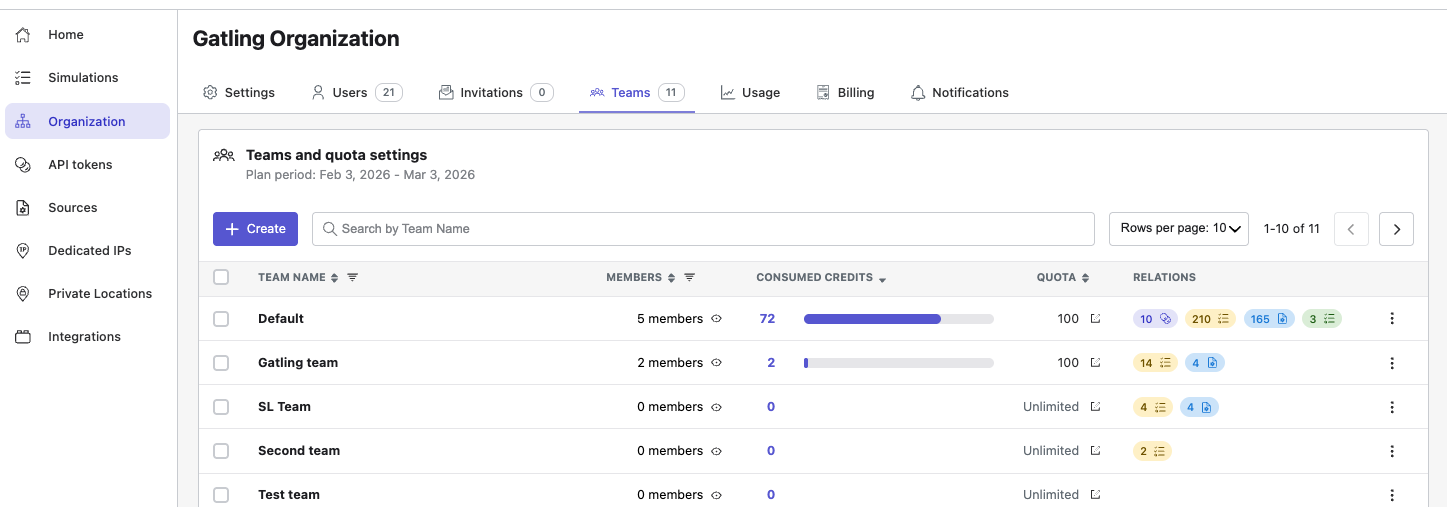
The teams table displays for each team:
- team name,
- number of members (click the link to see the member list),
- number of credits consumed for the current period,
- credit quota limit,
- associated API tokens, tests, packages, and repositories (click the badges to see details).
Using the menu at the end of each row, you can copy the team ID.