

Organization settings
Manage your organization's settings and feature toggles in Gatling Enterprise Edition.
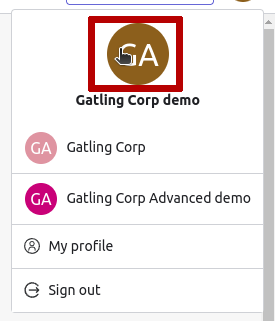
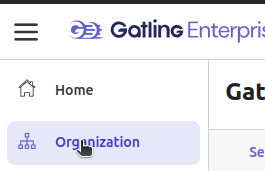
To access your organization settings, click on the Organization settings button or on the Organization menu item.
Settings

- Avatar - Composed by default from the two first characters of your Organization name.
- Organization Name - The display name for your organization.
- Organization Slug - Unique string name, in lowercase and spaced by dashes
-.
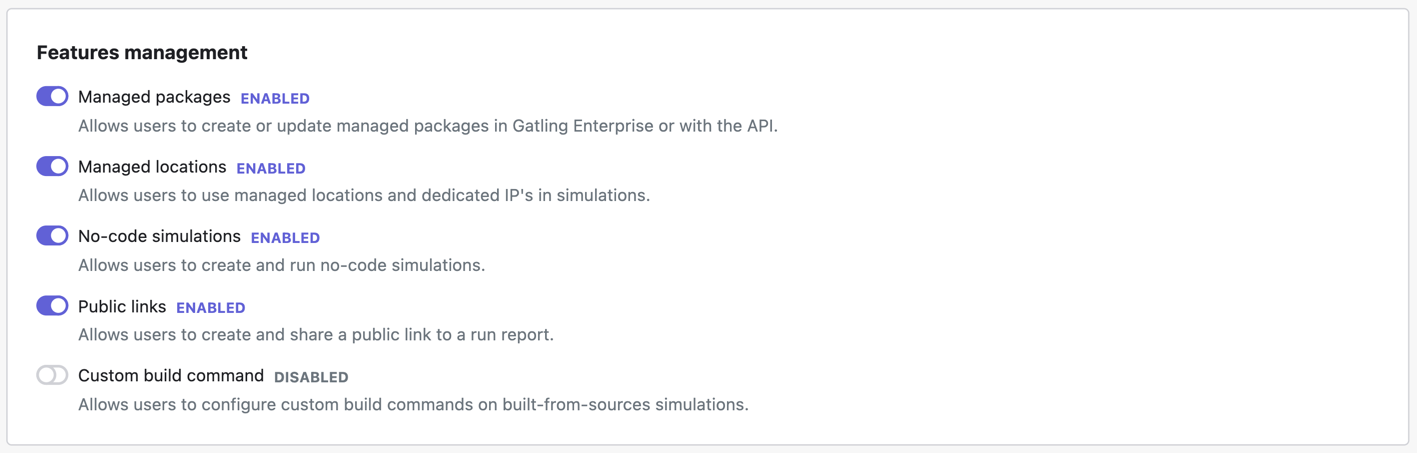
Features management
Managed packages
Managed packages are enabled by default.
This setting allows you to control whether your organization’s users can create and use managed packages. By disabling this feature and no-code simulations, you enforce the exclusive use of private packages for all load tests.
When disabled, users in your organization are prevented from:
- creating, uploading or updating packages from the Sources view,
- creating new simulations with a managed package,
- launching any pre-existing simulation that is configured with a managed package.
Note: Any managed packages that were created before this feature was disabled remain visible in the Sources view. Users can delete these if necessary.
Managed locations
Managed locations are enabled by default.
This setting allows you to control whether your users can deploy load tests to Gatling-managed locations, including locations using a dedicated IP. By disabling this feature, you enforce the exclusive use of private locations for all load tests.
When disabled, users in your organization are prevented from:
- creating new simulations with a managed location, or a location with a dedicated IP,
- launching any pre-existing simulation configured with at least one managed/dedicated IP location.
No-code simulations
No-code simulations are enabled by default.
This setting allows you to control whether your users can deploy load tests using no-code simulations. By disabling this feature and managed packages, you enforce the exclusive use of private packages for all load tests.
When disabled, users in your organization are prevented from:
- creating new simulations with a no-code configuration,
- launching any pre-existing simulation configured no-code.
Public links
Public links are enabled by default.
This setting allows you to control whether your users can create public links.
When disabled, users in your organization are prevented from:
- sharing public links to run reports,
- and existing public links are invalidated.
Custom build command
Custom build commands are disabled by default.
This setting allows you to control whether your users can create a simulation from a git repository using a custom build command.
When enabled, users in your organization are allowed to:
- configure a custom build command on simulations that clone a git repository